Organize your development processes with Overmind
Rarely can a developer get away with running just a single process to get their entire development environment running.
To start developing our apps we often have to spin up a bunch of processes, for example:
- the API server (e.g. rails)
- the client app (e.g. webpack)
- the background job processor (e.g. sidekiq)
- and there could be many others…
We usually run these separately in multiple terminal windows, or run one script that forks the processes, and so on.
One popular way to tame this jumbled mess of processes is a Procfile — a format to specify the types of processes an application provides and the commands to run them. It's a standard for Heroku and other platforms-as-a-service.
A simple Procfile defining a web process that runs rails server and a worker process that runs sidekiq:
web: rails s
worker: bundle exec sidekiqThere are a bunch of tools to run a Procfile, the most famous being foreman by David Dollar, but I'd like to show you how we can take Procfiles to the next level with Overmind.
What is Overmind?
Frustrated with existing Procfile-based process management tools, Sergey Alexandrovich set out to make a tool that solved his problem. As explained on the GitHub project:
The problem with most of those tools is that processes you want to manage start to think they are logging their output into a file, and that can lead to all sorts of problems: severe lagging, losing or breaking colored output. Tools can also add vanity information (unneeded timestamps in logs).
He solved these problems with the project Hivemind. However, that wasn't enough: he wanted processes to be bundled together in their output but still be directly accessible to the developer. He went on to integrate tmux with Hivemind to create Overmind.
So what can Overmind do that other Procfile managers cannot? Here's the list from the GitHub repository:
- It starts processes in a tmux session (more on tmux later), so you can easily connect to any process and gain control over it. This is especially useful because it lets us connect to debuggers.
- It can restart a single process on the fly — you don't need to restart the whole stack.
- It allows a specified process to die without interrupting all of the others.
- It uses pty to capture process output — so it won't be clipped or delayed, and it won't break colored output.
- It can read environment variables from a file and use them as parameters, so you can configure Overmind behavior globally and/or per directory.
How to set up Overmind
Note: Overmind supports Linux, *BSD and macOS only.
Now that you've heard what Overmind can do for you, let's set it up.
Overmind requires tmux, so install it first:
# on macOS (with Homebrew)
$ brew install tmux

# on Ubuntu
$ apt-get install tmuxOn macOS it's easiest to install Overmind with Homebrew:
$ brew install overmindOtherwise you can download the latest binary or build from source.
Once you're done, start it with:
$ overmind start -f path/to/your/Procfiletmux
The secret ingredient in Overmind is tmux, a terminal multiplexer. It lets you switch between several programs in one terminal, detach them while they keep running in the background, and reattach them to a different terminal. You don't need to know tmux to use Overmind, but a little knowledge helps.
A few useful commands:
Ctrl + b d— detach from the tmux window once you're inside withovermind connectCtrl + b 0— each process gets a number in the tmux window, which you can use to move between processes
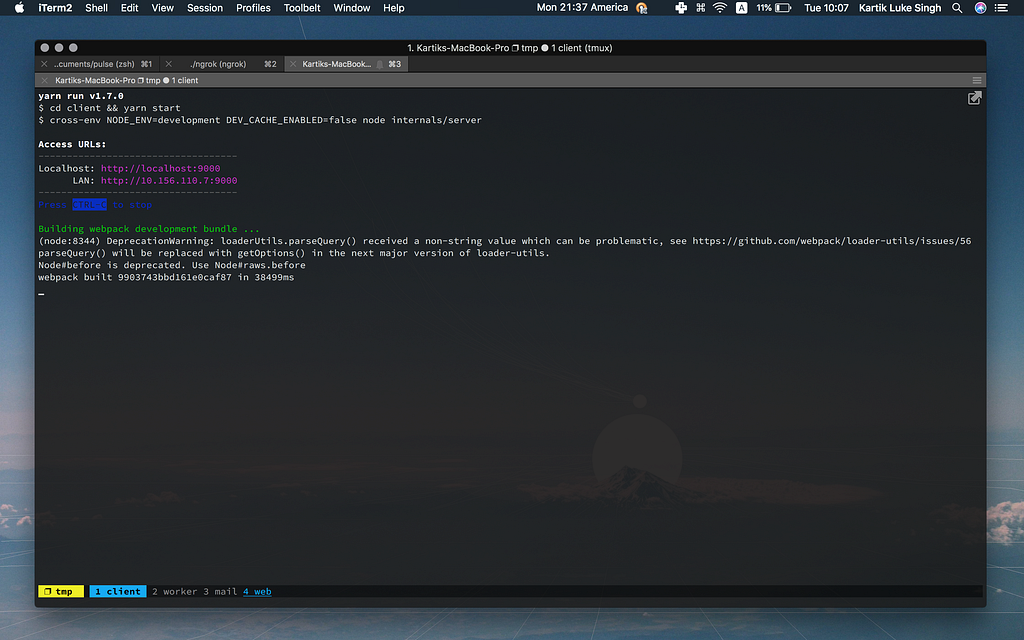
Note: my tmux looks different because I've customised it. You can customise yours by editing your
.tmux.conf; tmux by gpakosz is a good place to start.
Debugging made easy again
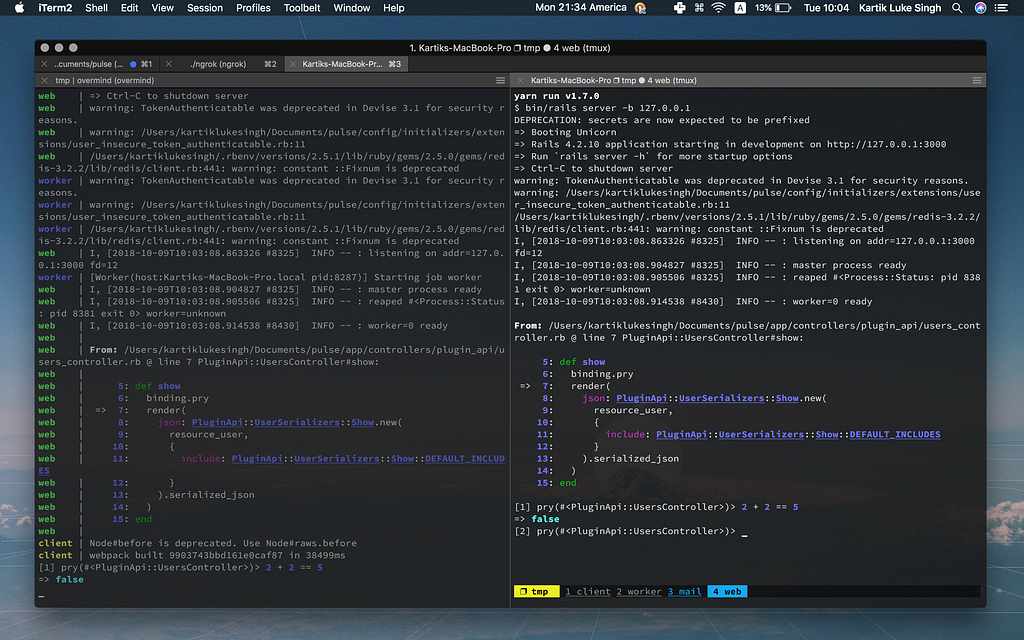
When we're debugging an issue we usually want to use pry or byebug for live debugging. However, with most Procfile managers or other ways of running processes side by side, we can't reach the debugging console for the process. Overmind lets us connect to any running process in a new window with overmind connect <process name>. In the picture below, the debugger started on the web process, and I used overmind connect web to connect to that process and start debugging.
Restarting quickly
Often we want to restart just one of the processes in our Procfile, perhaps the sidekiq worker, and with foreman we have to close it and all our processes. With Overmind, overmind restart <process name> restarts just that process.
Procfiles for everything
Generally we don't have just one stack of processes to run. You might have a separate set to run your Slack bot or to boot your acceptance test server. Since Overmind runs on Procfiles, we can create different sets for each use case, like a Procfile.slack that boots the event listener and ngrok, or a Procfile.acceptance that boots your acceptance server and runs the database setup.
# Procfile.slack
listener: bundle exec rake slack:listen_for_events
localtunnel: ngrok http 3000# Procfile.dev
web: rails s
worker: bundle exec sidekiq# Procfile.acceptance
client: rake acceptance:client
server: rake acceptance:serverIf you run multiple Procfiles simultaneously from the same path, you'll run into this error:
overmind: it looks like Overmind is already running. If it's not, remove path/to/project/.overmind.sock and try again
You can fix this by giving each set its own socket: overmind start -f Procfile.dev -s ./dev.sock. Once you start Overmind with a socket, run all your commands with the same socket.
$ overmind connect -s path/to/socket web
$ overmind restart -s path/to/socket sidekiq
$ overmind kill -s path/to/socketThanks for reading! If you have suggestions or anything else to share, say hi on X.